you now own ikea
little automations for my website
I actually wrote (or spoke) most of this by speech-to-text to my mac via Handy (local inference, using Parakeet V3) with some light editing. (I realise I say a lot of ’sort ofs’ and ‘you knows')
I saw this pretty funny tweet on how there is an inverse correlation between the pricing of housing and computer storage.
housing
45 years ago: $97,000
40 years ago: $124,000
…
10 years ago: $272,000
5 years ago: $368,000
Today: $428,000
storage
45 years ago: $438,000
40 years ago: $238,000
…
10 years ago: $0.05
5 years ago: $0.03
Today: $0.01
The same can be said for compute.
Which gets me to my point: considering the nature of property markets, the next best alternative to the art of homebuilding is probably playing around with your personal website by building random cool plugins or workflows to make your life easier. I’ve been having a lot of fun on this front.
Vercel + Github is your free apartment and Claude Code is your Ikea. And I want furniture for my website.
The basically structure of my personal website is a NextJS app hosted on Vercel (set up with auto deploy connected to my Github repo). The blogs/musings are fed off as mdx file and other data are stored as json objects (see bookshelf).
automating haydenso.com/musings to connect to my apple notes app
tl;dr my musings (short notes) are automatically connected to a specific folder in my apple notes app where everytime I make edits or new notes it reflects (no Apple API used, done via AppleScript and custom bash/python files)
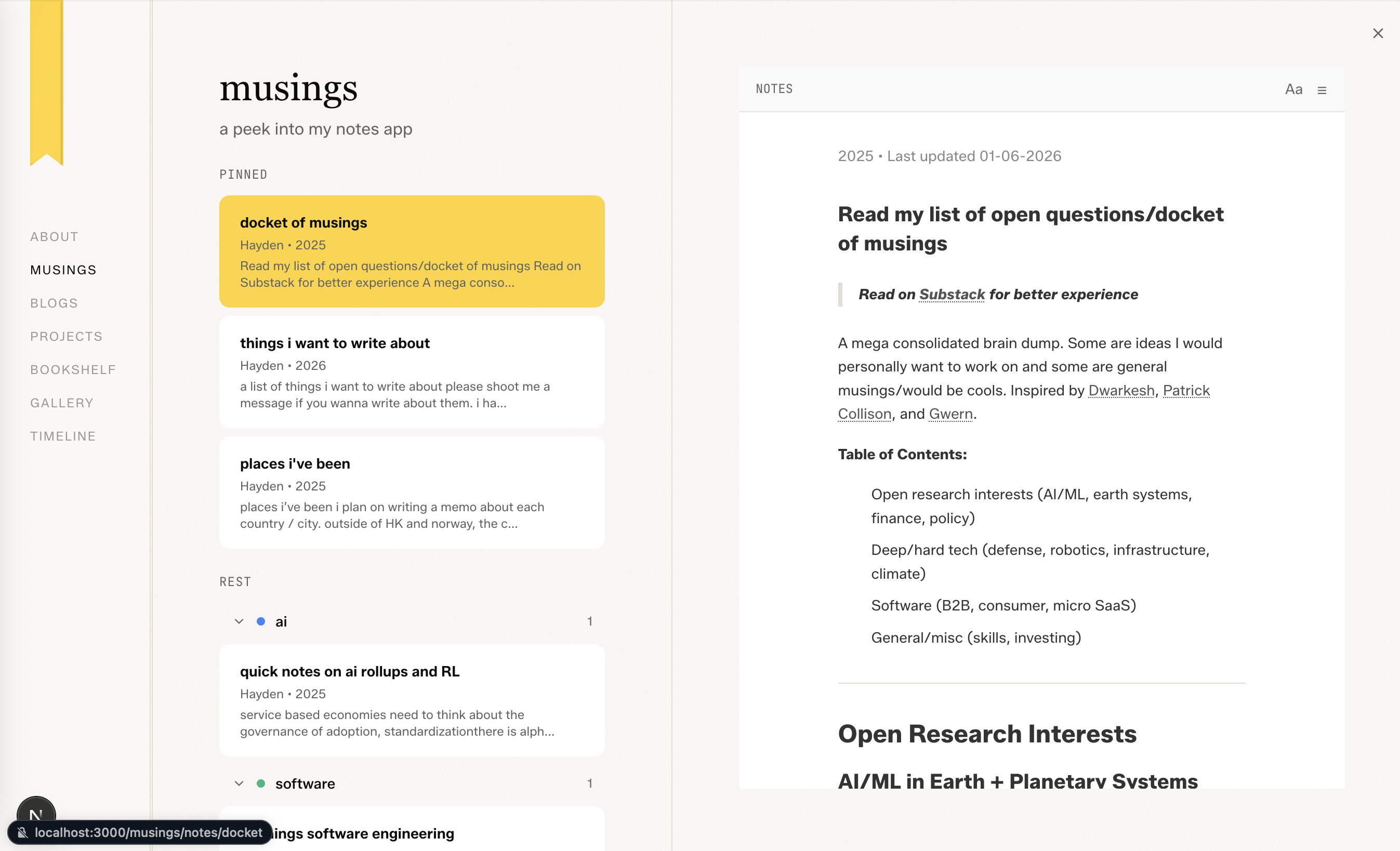
I’ve been wanting to write more and share my thoughts online. There are two types on my website, my longer blogs that I write on substack and shorter list-of-lists or quick thoughts that I usually write up in my apple notes app on the fly. I call these musings.
And traditionally, even though writing in VS code in markdown was not too bad, friction was pretty high. Alternatively I cool use a markdown editor and then paste it in. But I wanted to make this seamless. So I was like, hey, I’m gonna start writing in these short musings in the form of notes that I do anyway with my Apple notes app. Is there any way for me to automatically display that onto my website?
Initially I probably used three to four premium requests to build my own custom text or blog management system (CMS) via some custom UI in Next.js powered by some Python text editor module. The issue of that was a lot of good features of text editors were pretty hard (or time consuming to test + implement in a satisfactory way), such as having automatic bolding and italics and color and all sorts of features; it made it quite difficult to make my writing experience that good. And I want it to be fun to write. I also lost a few musings and blogs because I forgot to press save (could've implement an auto save feature.)
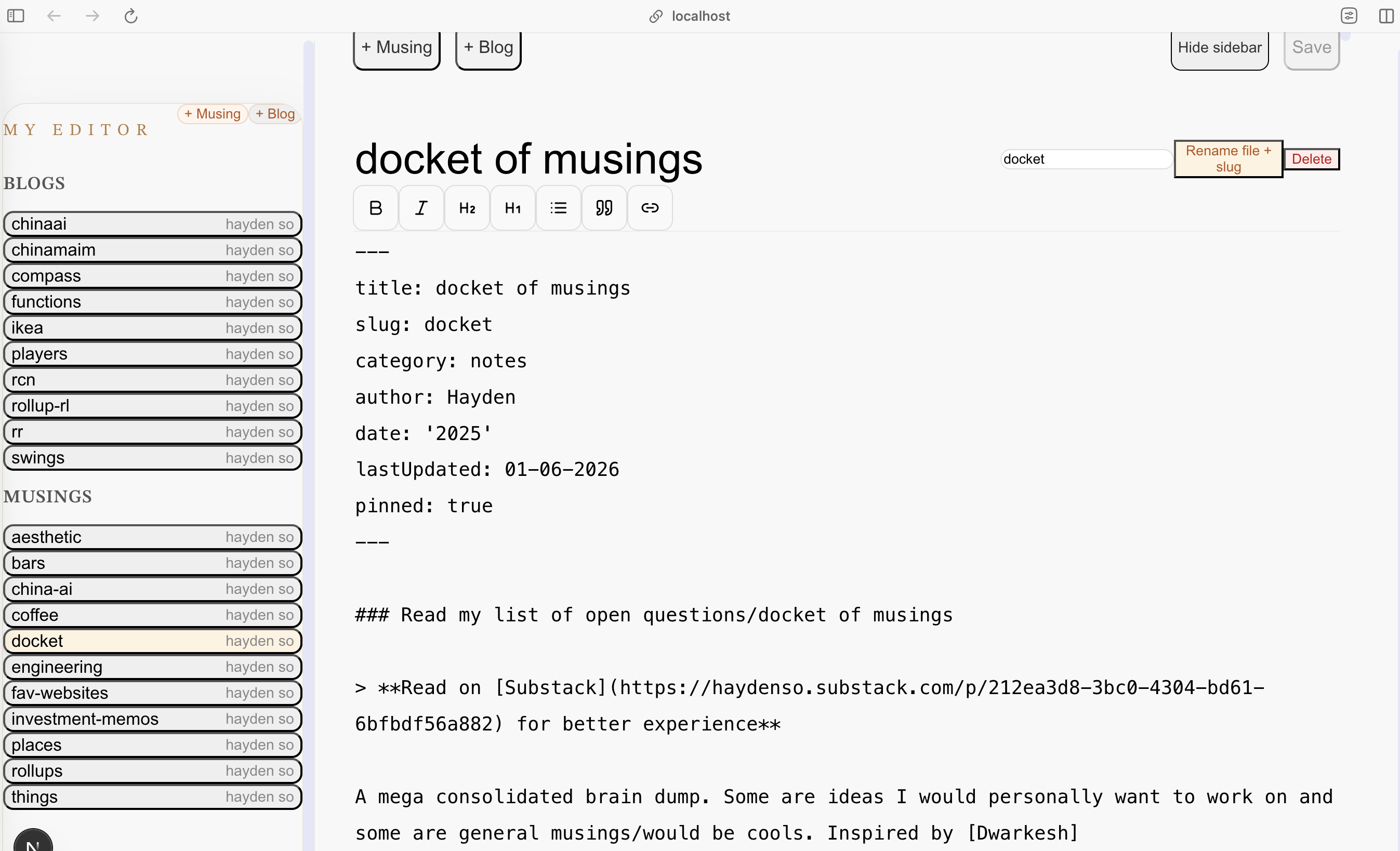
I then decided that I was going to try connect it to Apple notes. My initial take was to find some Apple API on GitHub, whether it be official or non-official to do the connecting. I wasn’t really looking forward to the authentication issues since Apple has a pretty stringent policy and two factor and needing to verify in devices and yada yada.
However, I thought, hmm, since Apple Script is a thing, is there a way for me to just write a series of bash scripts that connects it and converts it to markdown and then plugs it into the relevant folder in my website and then pushes it to my GitHub, which then hosts it on Vercel.
In simple words, AppleScript is basically an interface with applications locally on your Mac. So each app could have some compatible AppleScript command, which makes it easy to extract information from the app itself or even directly interact with the features and buttons of the apps. I think not many people think that deeply about Apple Script. It’s actually a pretty powerful tool, especially for apps where there isn’t a directly exposed API or authentication becomes an issue because, well, it’s directly executing on your device. And then you can take the information elsewhere into your local Python applications, et cetera.
I ended up spending some time writing out a spec of how I wanted this whole system to look like.
The solution. So what I end up implementing was this Apple Scripts system where every time I create a note or edit a note in a specific folder, it executes this bash scripts that then extracts the relevant changed notes into a markdown format, which then is pushed to my folder where all my blogs are then hosted in a separate markdown file. And through this markdown file is then converted into HTML, which is then hosted alongside my website on Vercel. This means I skip all forms of authentication in API usage.
Unstructured to markdown. Apple notes aren't saved in markdown, which made it a multi-prompt task to get it in the desired format. Currently bullet points, images, quotes, tables etc. work but getting code blocks or other fancier edits like colour probably require a little more testing.
Other considerations. I had to play around were the idea that I also wanted categories (so I had to make a sub-folder system work) and also the idea I wanted pinned notes at the top.
Different slug. By default, the slug of the musing was the title but occasionally I want it to be shorter and more choppy (i.e one word) so I had to play around to get custom slugs to work (so I can share it with my friends too). The mdx files also have a frontmatter, the meta-data, that had last edit dates, tags, categories that require close coordination with the structure of my website deployment itself. However this can be quite easily modularised and I might make this a public template people can use for their own purposes. Go typescript and open source!!!
There were some interesting features that Claude was also pretty good at helping me figure out, which included having this hash so that it doesn’t update all the blogs and regenerates it every time. Save some efficiency as the number of blogs and musings expand and grow.
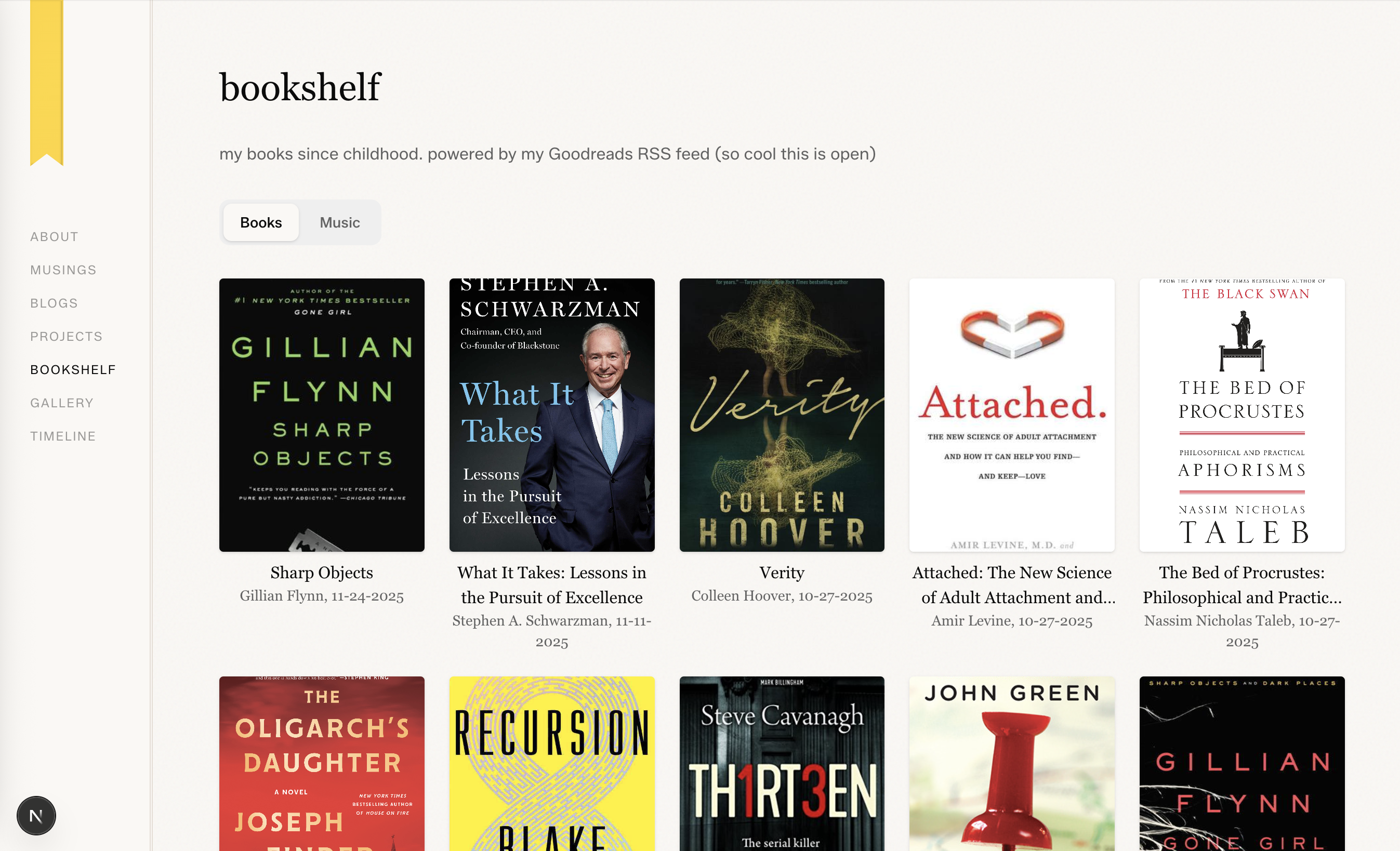
automating the book and music updates haydenso.com/bookshelf to my notes app
I also wanted for the longest time to have this bookshelf page that reflected my reviews on Goodreads, as well as having my most listened to Spotify music/audio soundtracks on my website.
Initially I wanted to try to use AppleScript again, however I realized that for cases like this, sometimes the API is pretty easy to use.
For Goodreads, I realized that they actually exposes a pretty nice RSS endpoint that formats all the books of read added in sequential data order as well as the reviews. And also includes the JPEG image for the book cover that I can then use some simple LLM calling to clean up and download the image and then put it in the relevant folders and HTML files for my website. It now periodically checks my RSS feed or I can manually push it to get the latest reviews and book list. Figuring how I wanted the slug to look like as well as optimizing the image storage for first load was also quite fun to play around with.
For Spotify. Spotify has a pretty nice dev API that exposes the top 15 songs pretty periodically. All I had to do was build a simple bash script that called the API and pushed some code to change the list which existed in my website. And then use the name and some separate spotify Python library to download the cover of the Spotify soundtrack, which then stores the images in the relevant public folder. I think my spotify API is a little behind my absolute latest musing taste but that'll do for now. It'll be fun to add a live widget that shows what I am listening to in the future. You can get your spotify token at Spotify Dev API.
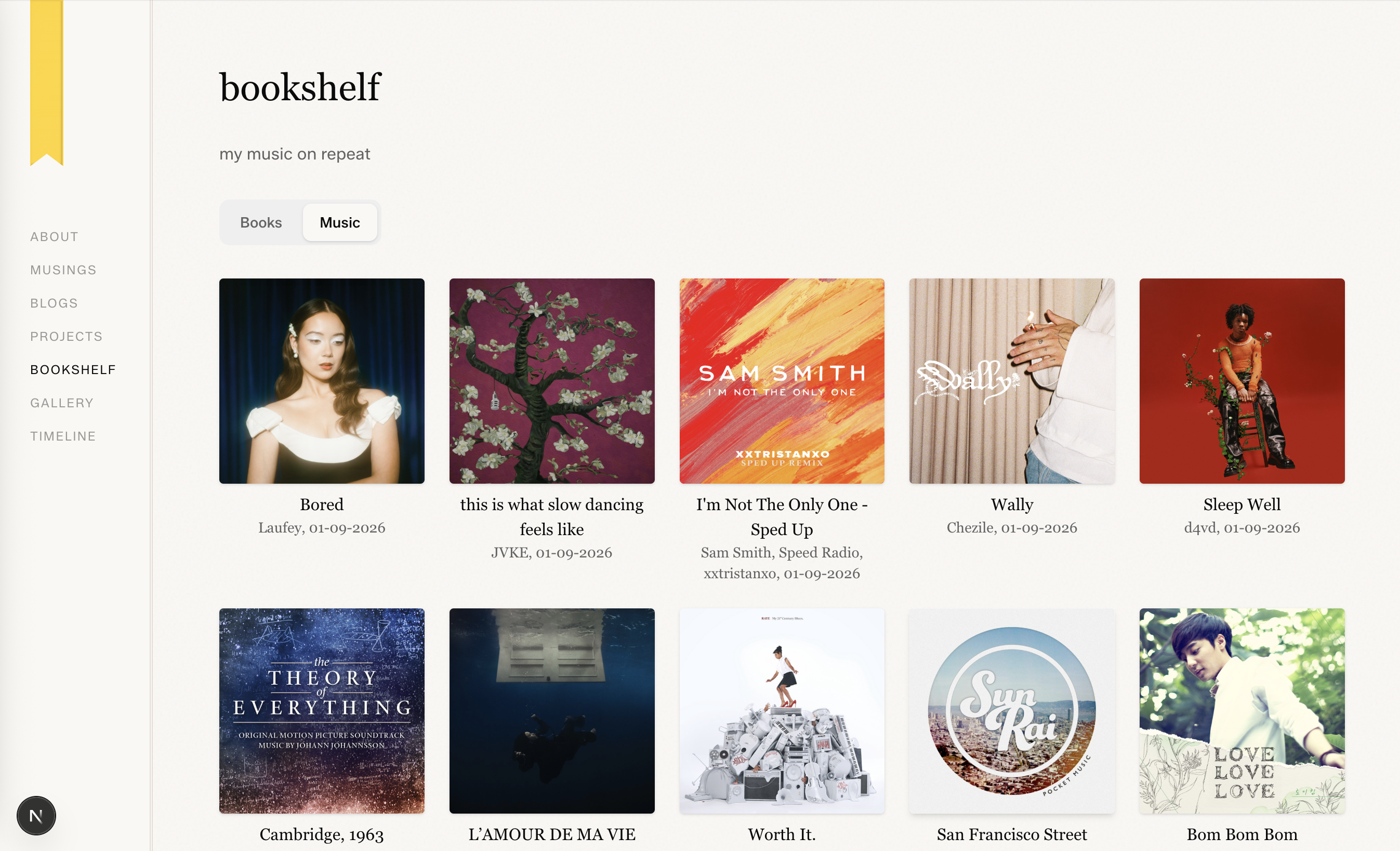
Claude pretty much one shot at all of this once I wrote out specific ways I wanted this to be implemented, which made it quite easy.
TL;DR Just talk to claude code and you own ikea.